
The handover handbook as an AI skill: why successors would rather ask than read

Author: Kevin Baur BSc
Published on
Contents
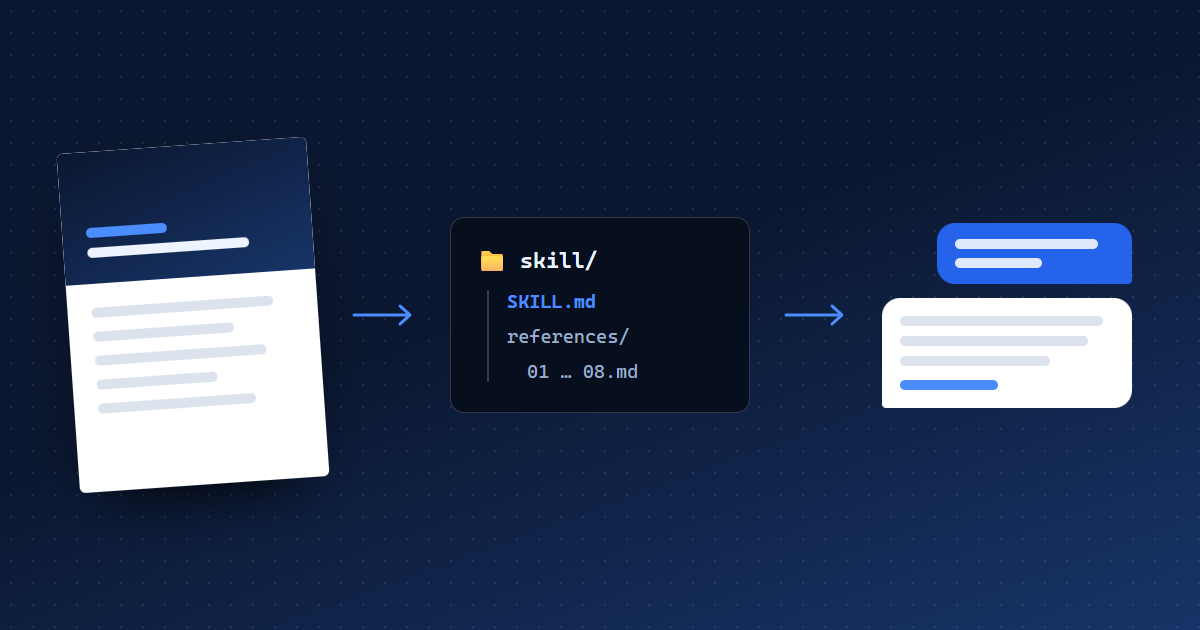
A good handover handbook has a problem that has nothing to do with its content: it gets read on day one and hardly at all from week three. That is exactly when the questions it was written for come up. This article explains why a handbook as an AI skill solves that problem, how such a skill is built, how to use it and where its limits are.
The problem: the questions come when nobody looks things up any more
On their first day, the successor reads the handbook carefully: the overview, the first steps, maybe the contacts. The real questions come later, in the middle of the work. A customer doesn't pay. The bank holds back a transfer. The tax advisor wants a list nobody knows the location of.
In that moment, hardly anyone opens a 10 to 30 page PDF to find the right chapter. People ask someone. But the person who knew is gone. So the question ends up with colleagues who don't know either, or with an AI assistant that doesn't know the company and therefore gives generic advice or simply guesses.
The knowledge has been captured, but it is not where the question is asked. That is where the AI skill comes in.
What is an AI skill?
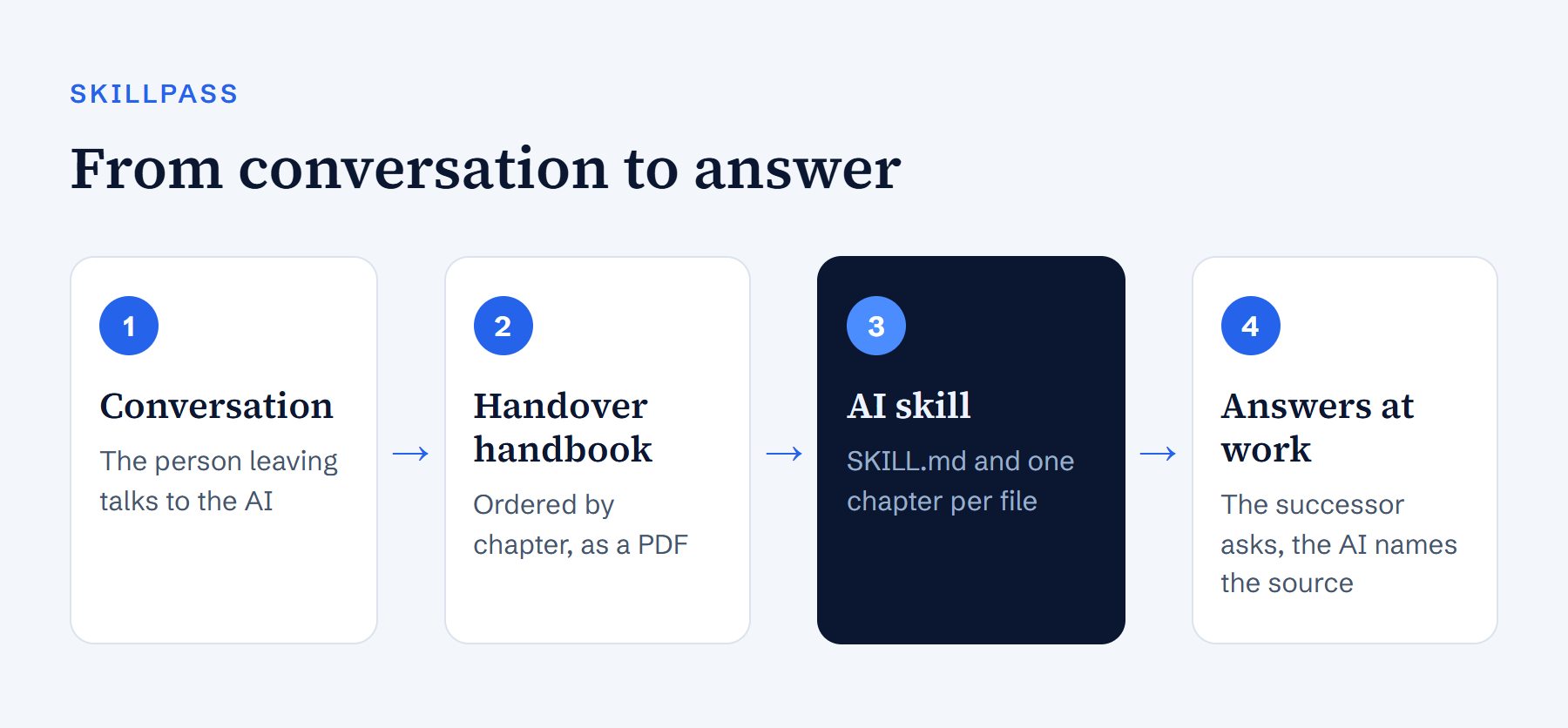
A skill is a folder of expert knowledge that an AI assistant can load when it needs it. The format is called Agent Skills. Anthropic developed it for Claude and published it as an open standard; other AI tools now read it too.
At its core, a skill has two parts:
- SKILL.md: at the top, a short description of what the skill is for and when it is needed. Below that, instructions on how the AI should handle the knowledge.
- Further files: the knowledge itself, for a handover handbook one chapter per file.
The trick is the order. At first, the assistant only knows the short description. When a question matches it, the assistant opens the skill and reads just the chapters it needs for the answer. That keeps even a long handbook manageable, and the assistant doesn't have to read everything for every question.
What a handover handbook looks like as a skill
SkillPass builds the skill automatically from the finished handbook. You don't have to write, reformat or paste anything into a chat. For an accounting role, it looks like this:
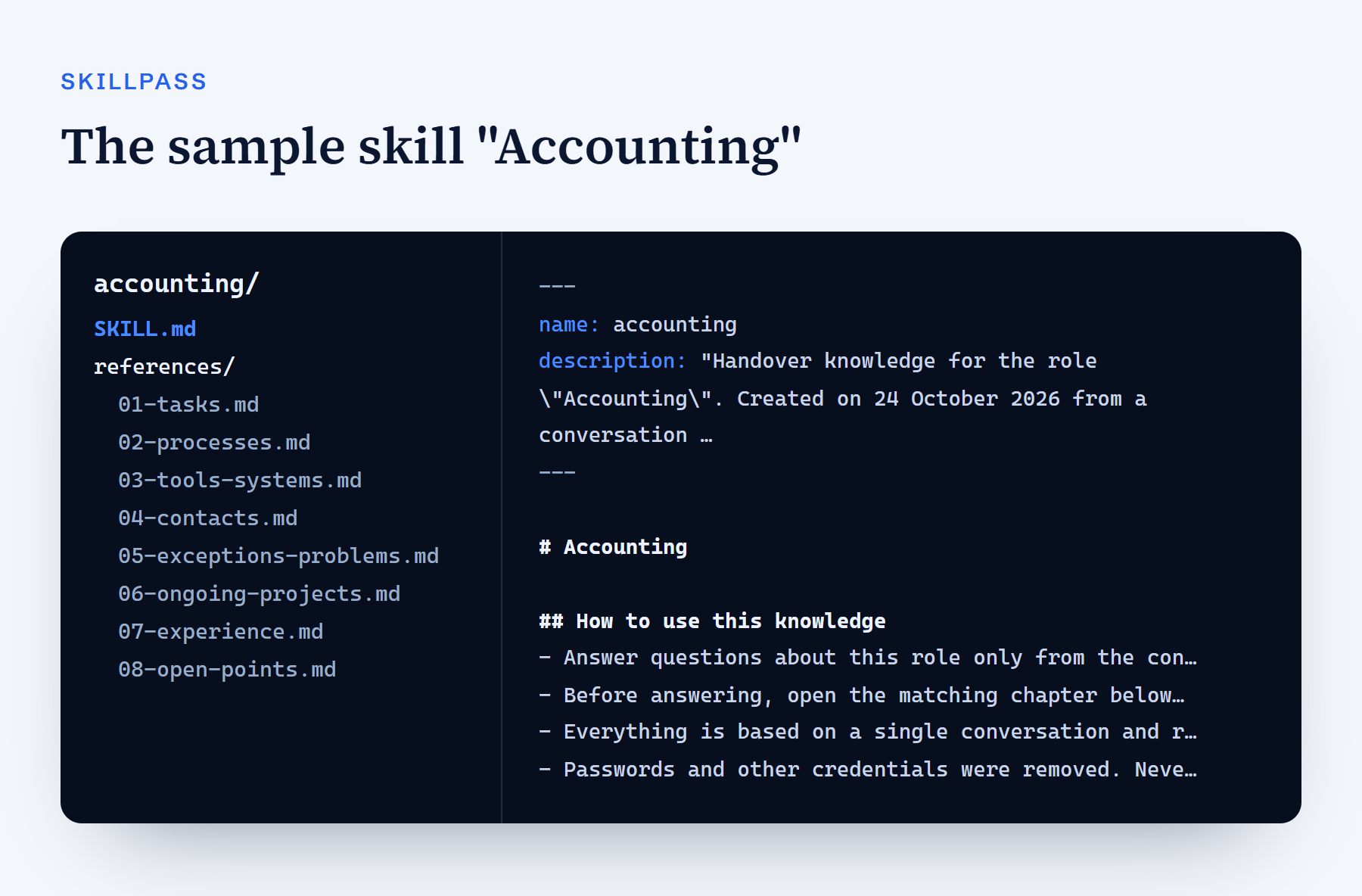
- SKILL.md holds the description with the role, the date of the conversation and the chapters, plus rules for the AI, the overview, the first steps and an index of the chapters.
- references/ holds one chapter per file: tasks, processes, tools & systems, contacts, exceptions & problems, ongoing projects, experience and open points.
The rules are the most important part, because they decide how the AI behaves. The skill contains four of them:
- Answer questions about this role only from the content of the skill. If something is not covered, say so instead of guessing.
- Before answering, open the matching chapter and say which chapter the answer comes from.
- Point out that everything is based on a single conversation and that deadlines, amounts, access and contacts should be checked before acting on them.
- Never guess passwords or other credentials; refer to the responsible person instead.
You can look at the sample skill yourself: download the sample skill "Accounting" (ZIP, 8 KB). It holds the same knowledge as the sample handbook as a PDF.
Why a skill does more than a PDF
1. Answers at work instead of searching a document
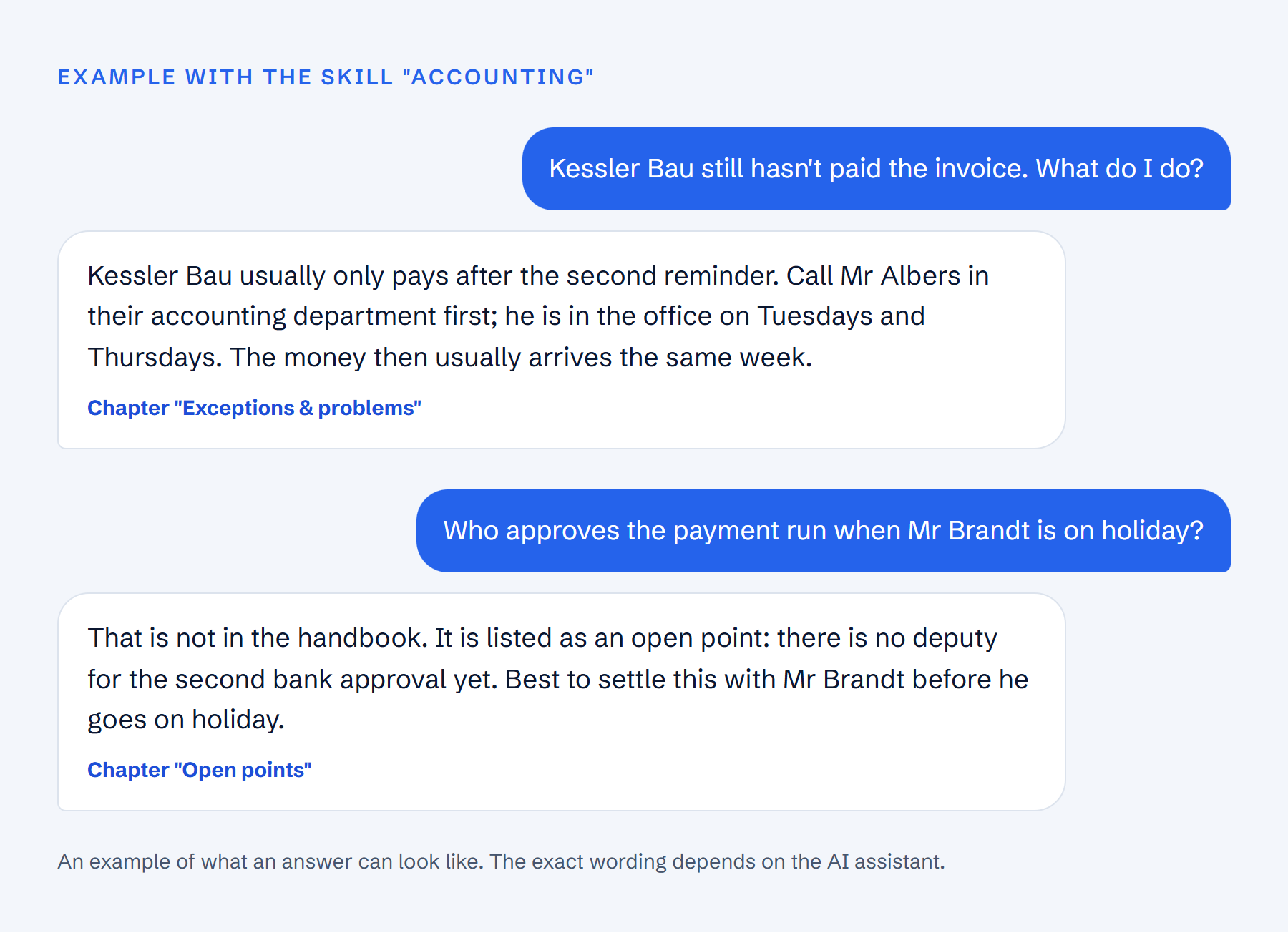
The successor doesn't need to know which chapter describes the dunning run. They ask the way the question comes up at work: "Kessler Bau still hasn't paid, what do I do?" The AI finds the right passage, even when the question uses entirely different words than the handbook.
2. Every answer with its source
Because the skill tells the AI to name the chapter, every answer can be checked in the handbook. That is more than convenience: AI assistants can be wrong. With the source, the successor sees in seconds whether the answer holds.
3. Gaps become visible instead of papered over
An AI assistant without company knowledge fills gaps with plausible assumptions. In a handover that is dangerous, because the answer sounds right but isn't. The skill tells the AI to say openly when something is not in the handbook. What the conversation left unresolved is also marked as an open point, like the missing deputy for the bank approval in the example.
4. The knowledge is there for everyone who needs it
The direct successor isn't the only one with questions. Holiday cover, the team lead or a second new hire face the same situations. Anyone who loads the skill into their assistant gets answers from the same knowledge.
5. No extra effort
You don't have to write a prompt, set up a knowledge base or paste the handbook into every new chat. The skill is built from the finished handbook and loaded once.
| Criterion | Handbook as a PDF | Text pasted into a chat | Handbook as an AI skill |
|---|---|---|---|
| Answer to a specific question | search yourself | yes, while the chat lasts | yes, in every new chat |
| Source of the answer | page and chapter | only if you ask | chapter is named |
| Handling of gaps | gap shows when reading | AI often fills it in | AI says what is missing |
| Effort for the successor | read and search | paste again every time | load once |
| Print and file | yes | no | as Markdown files |
The skill doesn't replace the PDF. For reading on day one, printing and filing, the PDF remains the better format. The skill is for the questions that come after.
How to use the skill
- Complete the handover. The person leaving has the conversation with the SkillPass AI, by voice or text. The handbook is created afterwards.
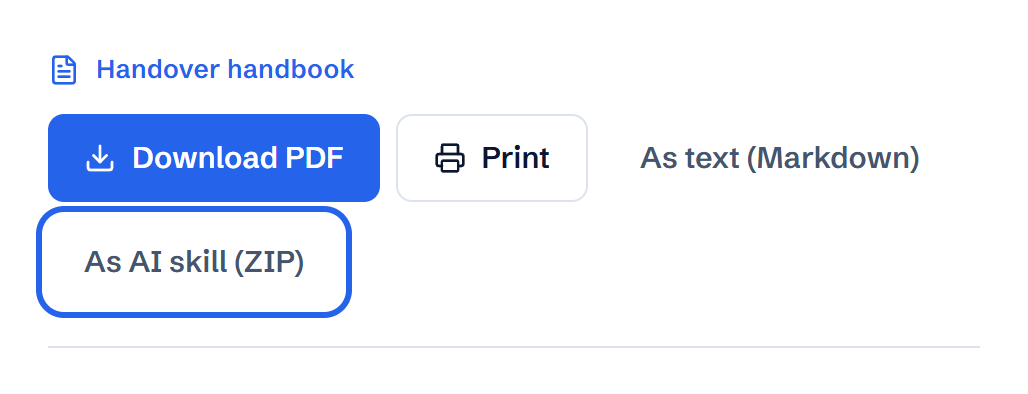
- Download the skill. In the finished handbook, click "As AI skill (ZIP)". If you share the handbook with the successor, they can download the skill themselves.
- Upload it to Claude. In the Skills section (depending on the app version under Settings or Customize), click "Upload skill", choose the ZIP file and switch the skill on. Custom skills are available on the paid Claude plans and need code execution to be enabled.
- Or load it into another assistant. Unzip the file and upload the Markdown files to a project, for example a ChatGPT project. Paste the section "How to use this knowledge" from SKILL.md there as the project's instructions.
- Ask. Claude uses the skill on its own when a question matches the role. To be sure, start with: "Use the Accounting skill."
Limits and data protection
A skill makes the handbook more useful, not infallible. You should know these points:
- State of the conversation: the skill knows what applied on the day of the conversation. If contacts, amounts or processes change later, it doesn't know. That is why SKILL.md contains the date, and the AI is told to flag deadlines, amounts, access and contacts for checking.
- AI can be wrong: even with a skill, an assistant can summarise something incorrectly. Naming the chapter makes that checkable. For money and deadlines, a look at the chapter is always worth it.
- Data in the AI assistant: the handbook contains internal knowledge and names. Only load the skill into an assistant your company has approved for internal information, such as a team or enterprise account. That provider's terms apply there.
- No passwords: SkillPass already removes credentials mentioned in the conversation from the handbook, so they are not in the skill either.
- Retention: in SkillPass, the handover is deleted after the retention period you set. The downloaded skill is a file on your side. Treat it like the PDF: store it where internal knowledge belongs and delete it when it is no longer needed.
When a skill pays off most
- One-person roles without a deputy: accounting, payroll, IT or purchasing in small companies, where one person knew everything.
- Roles with many exceptions: customers with their own rules, special cases at the bank, processes that happen only once a year.
- When the successor starts later or several people split the tasks between them.
- At retirement after many years, when decades of experience are passed on. More in the guide knowledge transfer before retirement.
- In teams that already work with an AI assistant. There, the skill is just one more tool in a familiar window.
Conclusion
A handover handbook captures one person's knowledge. As an AI skill, it becomes available where the questions arise: in the successor's daily work, asked in their own words, answered with a source. With SkillPass, the skill comes with every handover at no extra cost, alongside the PDF and the text version. How the conversation behind the handbook works is shown in the overview on the home page. What belongs in a good handover document is covered in the guide employee handover document.
Frequently asked questions
- What is an AI skill?
- An AI skill is a folder of expert knowledge that an AI assistant loads when needed. It consists of a SKILL.md file with a description and instructions, and further files with the knowledge itself. The format is called Agent Skills and is an open standard.
- Which AI assistants does the skill work with?
- Claude loads the ZIP file directly as a skill. Other tools that support the Agent Skills format can use the folder too. In assistants without skill support, you upload the Markdown files to a project as knowledge.
- Does the AI skill cost extra with SkillPass?
- No. Every handover includes the handbook as a PDF, as text (Markdown) and as an AI skill. You pay per handover: $39 for one, less per handover when you buy several at once, excluding VAT.
- Are passwords in the skill?
- No. SkillPass already removes credentials mentioned in the conversation from the handbook. The skill also tells the AI never to guess passwords and to refer to the responsible person instead.
- Does the skill replace the PDF?
- No. The PDF is for reading, printing and filing. The skill is for the questions that come up at work afterwards. Both contain the same knowledge.